Guide · Household items and appliances ·
How to Clean a Phone
Fingerprints and grease build up on a mobile phone's screen, dust collects along its edges and under its case, and dust and dirt gather in the speaker and microphone holes; the handsets of desk phones are also in contact with hands and faces all day. Because a phone is an electronic device, no product is sprayed onto it and the openings are not cleaned with liquid. This guide explains how to clean a mobile phone's screen, body, speaker and microphone holes, and a desk phone's handset. For the case, see the guide how to clean a phone case.
Before you start
- Switch it off: switch off the phone and unplug the charging cable.
- Remove the case: check the case and the screen protector, if any; clean the case separately.
- Apply products to the cloth: do not spray any cleaning product directly onto the phone.
- Check the manual: read the manufacturer's cleaning recommendations and water-resistance information.
How to clean a phone: step by step
- Wipe the screen with a clean, dry microfibre cloth.
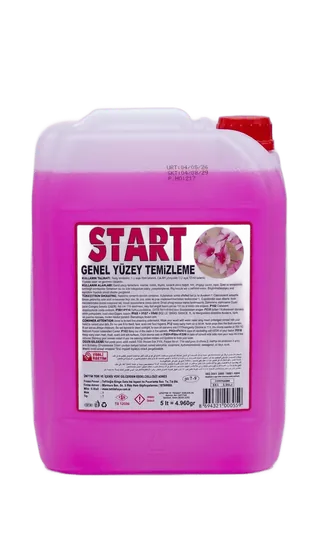
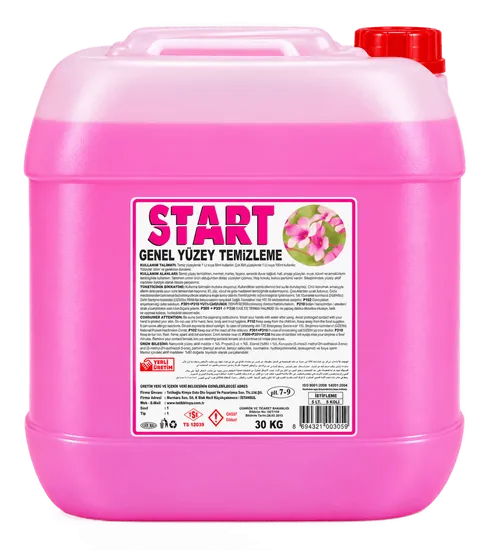
- Wipe the back and the frame with a well-wrung cloth dampened in lukewarm water with START all-purpose surface cleaner added at the dose on the label. According to its safety data sheet, START Genel Yüzey Temizleyici has a pH of 7–8.
- The cloth should be dry enough not to drip; do not let liquid get into the buttons, ports or openings.
- Dry the phone with a dry microfibre cloth.
- Put the case back on only once the phone is completely dry.
Screen and camera
- If fingerprints remain, dampen the microfibre cloth very slightly with water only, wring it out well and wipe the screen.
- We do not recommend a cleaning product for the screen; alcohol, ammonia, glass cleaner and solvents can damage the screen coating.
- Gently wipe the camera lens with a dry microfibre cloth; paper towels and rough cloths can scratch the lens.
- For a tablet's screen, stylus and case: how to clean a tablet.
- For Bluetooth speakers: how to clean a speaker.
- Dust that gets under the screen protector cannot be cleaned without removing the protector; replace the protector if necessary.
How to clean a phone speaker
Remove dust from the phone's speaker and microphone holes with the phone switched off by brushing gently with a dry, soft-bristled brush. Needles, toothpicks and sharp tools can damage the speaker membrane and internal parts. Do not apply liquid, spray or compressed air to the openings; water-resistant phones should not be put in water either. If the sound is muffled after cleaning, take the phone to an authorised service centre. For earphones, see the guide how to clean earphones.
Charging port
- Gently clean the charging port with the phone switched off using a dry, soft brush.
- Do not insert anything metal or sharp into the port; the contacts can be damaged and a short circuit can occur.
- Do not apply liquid to the port; do not charge a phone that has got wet until it is completely dry.
- If the charging cable does not fit fully into the port or the phone does not charge, contact an authorised service centre.
How to clean a telephone handset
Wipe the desk phone's handset, keypad and body with a well-wrung cloth dampened in lukewarm water with a little surface cleaner added, then dry; do not spray cleaning products directly onto the phone. Do not let liquid get into the openings at the ear and mouth ends of the handset; remove dust from these openings with a dry brush. Wipe the coiled cord with a damp cloth and dry it. Clean dirt between the keys with a dry, soft brush. For cleaning the whole office, see the guide how to clean an office.
What not to do
- Spraying cleaning products directly onto the phone or screen.
- Using alcohol, ammonia, glass cleaner or solvents on the screen.
- Inserting sharp tools into the speaker, microphone or charging port.
- Putting the phone in water, even if it is water-resistant.
- Cleaning the phone while it is switched on or plugged in to charge.
For offices, call centres and hotels
In offices, call centres and hotel rooms, desk phones and handsets are used by different people throughout the day; regularly wiping handsets and keypads with a well-wrung cloth dampened with diluted surface cleaner keeps them looking tidy. Where hygiene and disinfection are required, follow your business's procedure. For the ear cushions of headsets, follow the manufacturer's recommendation. START Genel Yüzey Temizleyici is produced in 5 L packs; for bulk purchases you can request a quote.