Guide · Household items and appliances ·
How to Clean a Speaker
Dust, fluff and fingerprints build up on speaker grilles and fabric covers, and over time the dust can muffle the sound. But a speaker's cone and electronic parts are sensitive to water and rough handling, so a speaker is cleaned in different ways depending on its body and cover. This guide explains how to clean a speaker, how to clean a Bluetooth speaker and how to clean speaker fabric. For earphones, see our guide how to clean earphones.
Before you start
- Switch off and unplug: turn the speaker off and disconnect the charging and audio cables.
- Check the user manual: see whether the grille can be removed and check the water resistance information.
- Apply the product to the cloth: do not spray water or cleaning products directly onto the speaker.
- Do not touch the cone: do not press or wet the speaker cone.
How to clean a speaker? Step by step
- Remove dust from the grille and fabric with a dry, soft brush.
- Use the vacuum cleaner's brush attachment on low power to remove the remaining dust without pressing on the grille.
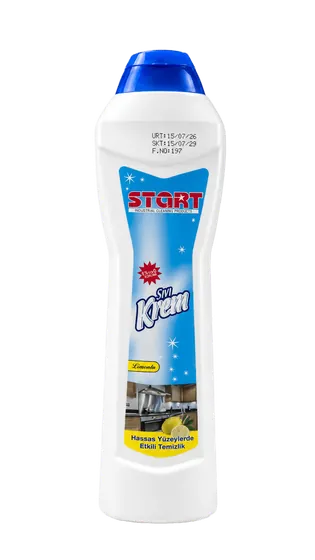
- Wipe the plastic and metal body with a microfibre cloth dampened in lukewarm water with START all-purpose surface cleaner added in the amount on the label, and wrung out well. According to its safety data sheet, our START all-purpose surface cleaner has a pH of 7–8.
- Wipe touch buttons and parts with a screen only with a dry microfibre cloth or one slightly dampened with water.
- Dry the body with a dry microfibre cloth and switch the speaker on only once it is completely dry.
How to clean speaker fabric?
On fabric-covered speakers, do not wet the fabric; remove dust with a soft brush and a lint roller. On removable fabric grilles, if the user manual allows, take the grille off, brush off the dust and blot stains with a well-wrung cloth lightly dampened with water; do not refit the grille until it is completely dry. On metal grilles, remove dust trapped in the holes with a soft brush and take care not to bend the grille.
How to clean a Bluetooth speaker?
- Switch the speaker off and unplug the charging cable; close the charging port cover if there is one.
- Wipe the rubber and plastic body with a well-wrung cloth dampened with diluted surface cleaner.
- Even with water-resistant models, do not submerge the speaker or rinse it under the tap unless the manufacturer allows it.
- Remove dust from the charging port with a dry, soft brush; do not insert metal objects into the port.
- Clean the fabric cover with a brush and a lint roller.
Car, home cinema and phone speakers
- Clean speaker grilles in car doors with a dry brush and the vacuum cleaner's brush attachment; for the car interior, see how to clean a car interior.
- Wipe the wood-effect bodies of home cinema and tower speakers with a slightly damp cloth and dry them immediately.
- For the TV screen: how to clean a TV screen.
- For the phone's speaker holes: how to clean a phone.
What not to do
- Spraying water or cleaning products directly onto the speaker.
- Pressing on the speaker cone and wetting it.
- Inserting needles, toothpicks or metal objects into the holes.
- Wetting the fabric cover.
- Switching the speaker on before it is completely dry.
For offices, meeting rooms and cafés
In offices, meeting rooms, classrooms and cafés, speakers and sound systems gather dust; dusting the equipment with a dry brush and vacuum while it is switched off, wiping the bodies by applying the product to a cloth and keeping liquids away from the devices make for a well-organised routine. For office equipment, see our guide how to clean a keyboard. START All-Purpose Surface Cleaner is produced in a 5 L pack; for bulk purchases you can request a quote.