Guide · Household items and appliances ·
How to Clean a Robot Vacuum
Because a robot vacuum works on its own every day, its maintenance is easily forgotten; yet a full container, hair wrapped around the brushes or dusty sensors make the robot pick up less, lose its way and get stuck more often. This guide explains how to clean a robot vacuum's container, filter, brushes, sensors and mop pad, and which parts must be kept away from water. For corded and cordless vacuums, see the guide how to clean a vacuum cleaner.
Before you start
- Switch the robot off: take it off the charging dock and switch it off as described in the manual.
- Check the manual: the manufacturer's manual says which parts can be washed and how to remove them.
- Do not put the robot in water: the robot's body, motor, battery and electronics must not get wet.
- Do not apply product to the sensors: the sensors and camera are wiped only with a dry, soft cloth.
Dust container and filter
- Empty the container into the bin after each use or when it fills up; on robots with an auto-empty station, replace the station bag before it is full.
- Remove the filter and tap it gently inside the bin; remove dust from the filter pleats with a dry brush.
- If the manual allows it, wash the container in lukewarm water with a little TETİK dishwashing liquid, rinse with plenty of water and dry completely in the shade.
- HEPA and cartridge filters are usually not washable; only tap them clean dry or replace them at the interval recommended by the manufacturer.
- Do not refit the container and filter until they are completely dry.
How to clean a robot vacuum brush
Hair, thread and carpet fibre wrap around the main brush under the robot and the side brushes at its edges; the brush slows down and the robot picks up less. Turn the robot over onto a soft surface, open the main brush cover as described in the manual and take the brush out. Cut away wrapped hair with scissors without damaging the brush; many robots come with a small cleaning tool for this. Clean the bearings at both ends of the brush and the brush housing with a dry brush. Remove the side brushes too and take off hair wrapped around the bristles; replace brushes with bent or broken bristles. Rubber brushes are wiped with a damp cloth and dried if the manual allows it.
Wheels
- Remove the front wheel as described in the manual and clean hair wrapped around its axle and trapped dirt.
- Wipe the rubber surface of the side wheels and the area around them with a slightly damp, thoroughly wrung-out cloth.
- Check that the wheels turn freely; a sticking wheel makes it harder for the robot to find its way.
How to clean robot vacuum sensors
When the cliff sensors under the robot, the bump and obstacle sensors at the front and, if fitted, the laser or camera window get dusty, the robot may fail to detect the risk of falling down stairs, get stuck often or confuse its map. Wipe the sensors and camera window gently with a dry, clean, soft microfibre cloth. Do not apply cleaning products, glass cleaner or a wet cloth to the sensors, and do not scrape them with a sharp object. Also wipe the metal charging contacts on the dock and under the robot with a dry cloth; dirty contacts can disrupt charging.
How to clean a robot vacuum mop
- Remove the mop pad after each use; a damp pad is not left on the robot.
- Wash the pad by hand or in the washing machine according to its label or the manual; fabric softener can reduce the pad's absorbency.
- Dry the pad completely in the shade and do not fit it until it is dry.
- Empty the water tank after each use, rinse it with clean water and leave the lid open to dry.
- Only put cleaning product in the water tank if the manufacturer allows it, and only the product it recommends; an unsuitable product can foam and block the tank and tubes.
- On robots with rotating mop pads and self-washing docks, empty and rinse the dirty water tank and clean the dock's washing tray as described in the manual.
Dock and body
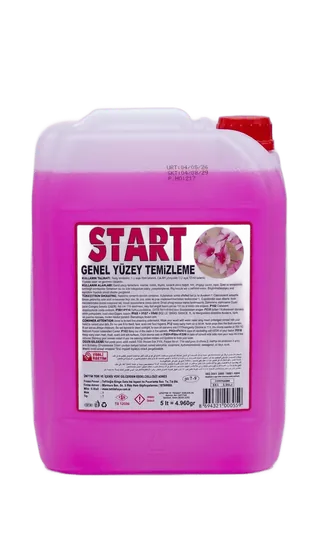
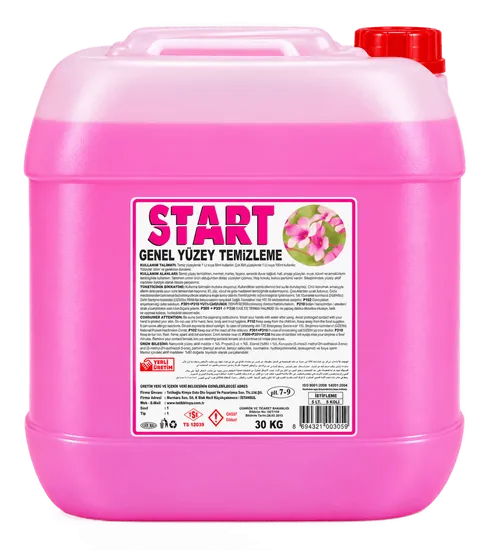
- Add START all-purpose surface cleaner to lukewarm water in the amount on the label, dampen the cloth with this water and wring it out thoroughly. According to its safety data sheet, our START all-purpose surface cleaner has a pH of 7–8.
- Wipe the top of the robot and the outside of the charging dock with this cloth; do not spray product onto the robot or the dock.
- Do not wipe the sensor windows, camera lens or charging contacts with this cloth; they are wiped only with a dry cloth.
- Unplug the dock from the socket before cleaning.
Maintenance schedule
- After each use: empty the container, remove the mop pad and empty the water tank.
- Once a week: tap out the filter, remove hair from the main and side brushes and wipe the sensors and charging contacts with a dry cloth.
- At the intervals recommended in the manual: replace the filter, brushes and mop pad.
- If the robot keeps showing errors, has lost suction or cannot find its way and this does not improve after cleaning, contact an authorised service centre.
For offices and hotels
For robot vacuums working in offices, hotel corridors and common areas, emptying the container and cleaning the brushes should be added to the daily task list, and replacing filters and brushes to the maintenance plan. Cables, small objects and liquids should not be left where the robot works. A robot vacuum helps with daily dust pick-up; regular manual cleaning is still needed for wet floor cleaning, corners and stains. START all-purpose surface cleaner is produced in 5 L and TETİK dishwashing liquid in 750 g, 5 kg, 20 kg and 30 kg packs. For office products you can see the guide office cleaning supplies, and for bulk purchases you can request a quote.