Guide · Household items and appliances ·
How to Clean a Game Controller
Game controllers are held for hours; hand grime and sweat build up on their surfaces, dust and crumbs between the buttons and sticky residue on the grips. A controller is an electronic device: if liquid gets inside, the buttons and analogue sticks can be damaged. The right method is dry cleaning, a well-wrung cloth and applying the product to the cloth rather than directly to the controller. This guide explains how to clean a game controller, its buttons and a sticky controller. For remote controls, see the guide how to clean a remote control.
Before you start
- Switch the controller off: turn the game controller off and unplug the charging cable.
- Remove the batteries: on battery-powered controllers, open the battery cover and take the batteries out.
- Remove the cover: take off the silicone cover and grip coatings.
- Check the manual: check the manufacturer's cleaning recommendations.
How to clean a game controller: step by step
- Remove dust from the controller's surface with a dry microfibre cloth.
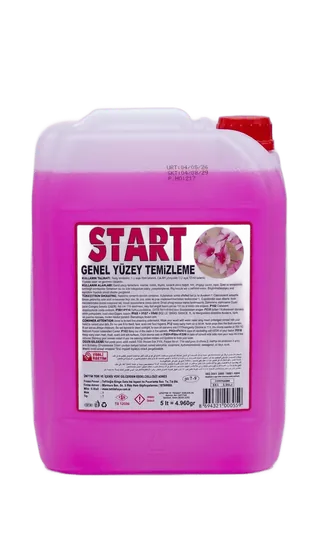
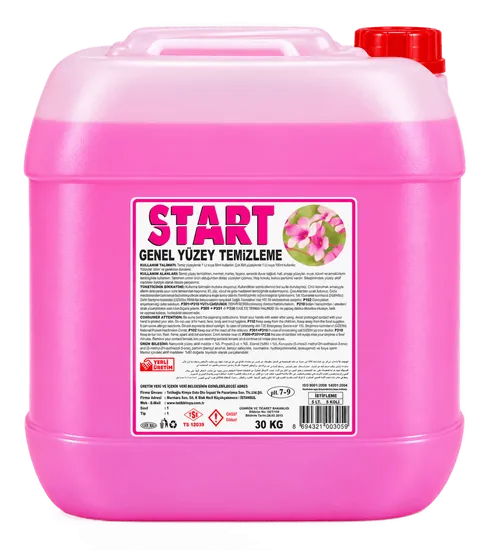
- Add START all-purpose surface cleaner to lukewarm water in the amount on the label. According to its safety data sheet, our START all-purpose surface cleaner has a pH of 7–8.
- Dampen the microfibre cloth with this water and wring it out well; do not drip the product or water directly onto the controller.
- Wipe the casing, grips and rear triggers; then wipe with a clean, well-wrung damp cloth and dry with a dry cloth.
- Refit the cover and batteries only once the controller is completely dry.
How to clean game controller buttons
Dust and crumbs collect between the buttons, around the D-pad and at the base of the analogue sticks. Brush these gaps with a dry, soft brush and sweep the crumbs outwards. Wipe the tops of the buttons with a well-wrung damp cloth; make sure no water runs from the cloth into the button gaps. When wiping the analogue sticks, rotate each stick gently in every direction to reach its base. Do not push sharp objects into the button gaps. If buttons stick or an analogue stick moves on its own, do not open the controller; contact the manufacturer's service centre for these faults.
How to clean a sticky game controller
- Soften sticky residue from drinks and food by wiping it several times with a well-wrung cloth dampened with diluted surface cleaner.
- Do not scrape the residue; wipe it off with the cloth as it softens and rinse the cloth often.
- If the stickiness has got inside the buttons and they no longer spring back, do not open the controller; contact the service centre.
- Not keeping drinks next to the controller while playing prevents sticky residue.
Silicone cover, charging port and cable
- Silicone cover: wash it in lukewarm water with a little TETİK Dishwashing Liquid, rinse with plenty of water and refit it once completely dry.
- Touch panel: wipe it with a dry or water-only, well-wrung microfibre cloth.
- Charging and headphone ports: do not put liquid or sharp objects into the ports; remove dust with a dry, soft brush.
- Cable: unplug the cable, wipe it with a well-wrung damp cloth and dry it.
What not to do
- Spraying or dripping cleaner or water directly onto the controller.
- Submerging the controller in water.
- Opening the controller to clean the inside.
- Pushing sharp objects into button gaps and ports.
- Using abrasive products, solvents and degreasers.
For gaming centres and internet cafés
In gaming centres, internet cafés and e-sports venues, game controllers are used by different people throughout the day; wiping controllers with a well-wrung cloth after each session, cleaning tables regularly, keeping drinks away from controllers and setting faulty controllers aside for service make for a consistent routine. For keyboards, mice and headphones, see our guides how to clean a keyboard, how to clean a mouse and how to clean earphones. START All-Purpose Surface Cleaner is produced in a 5 L pack; for bulk purchases you can request a quote.